
Dart is trending now among teams that want a single place to plan content, run projects, and let AI speed up routine work. You should care about this tool if you manage content calendars, coordinate cross-functional projects, or want to reduce busywork while keeping things simple. Dart combines task and timeline planning with AI-assisted automation and collaboration, so you can spend less time juggling tools and more time shipping work that matters.
|
Feature |
Verdict |
|---|---|
|
Ease of Use |
⭐️⭐️⭐️⭐️⭐️ ⏱️ – Intuitive layout and clean UI make it fast to learn and productive almost immediately |
|
AI & Automation |
⭐️⭐️⭐️⭐️ 🤖 – Useful automation and AI agents that can cut repetitive work and speed content workflows |
|
Collaboration & Permissions |
⭐️⭐️⭐️⭐️ 🤝 – Strong collaboration features, though access controls and user limits can be restrictive for larger teams |
|
Mobile & Integrations |
⭐️⭐️⭐️ ⏱️ – Mobile app is solid but not fully parity with web; offline support and some integrations are still maturing |
|
Value |
⭐️⭐️⭐️⭐️⭐️ 💸 – $59 offers excellent value for a platform that combines project management and content tools |
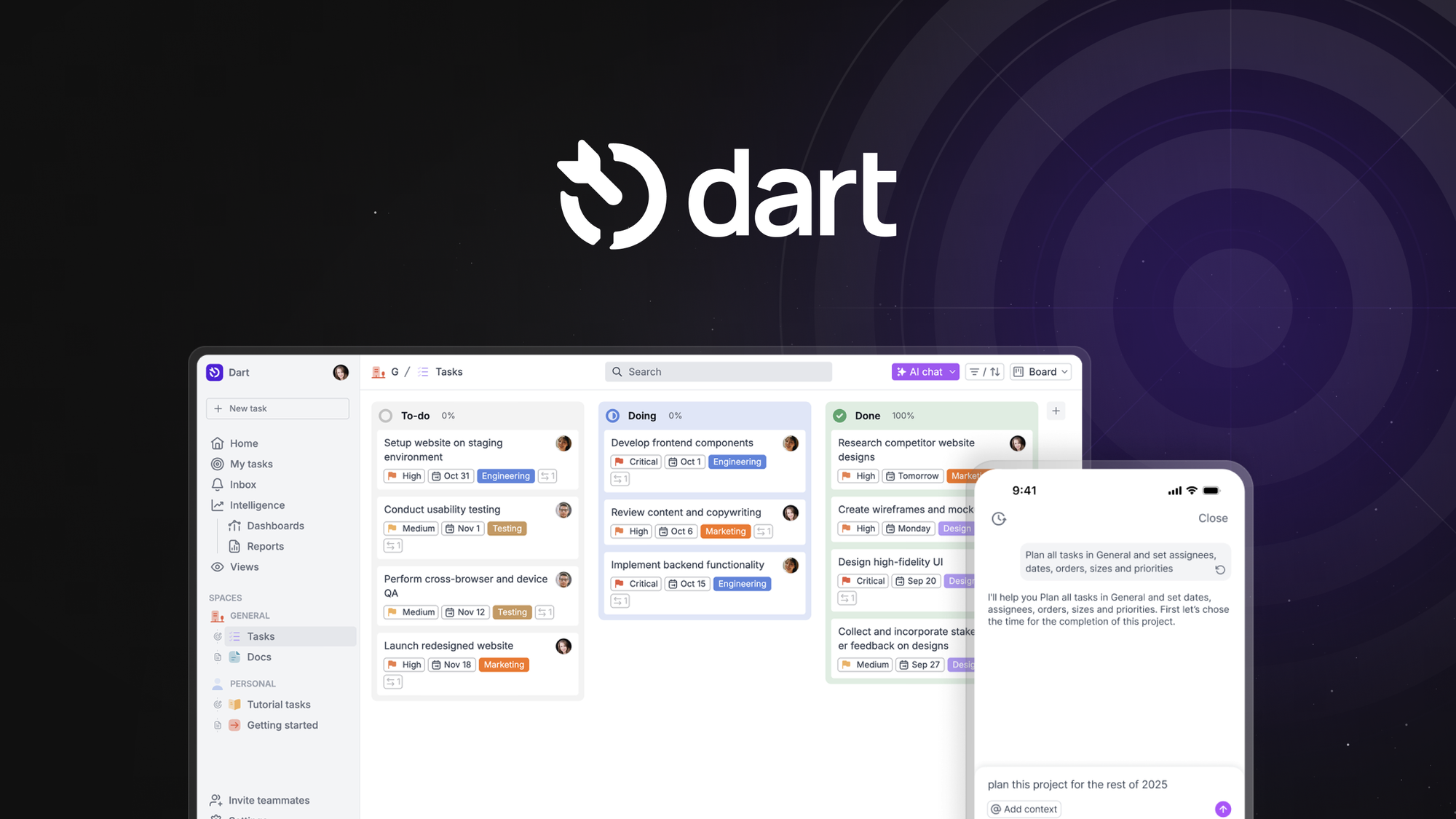
Dart feels like a refreshing middle ground between simple to-do apps and heavy enterprise tools. You get a clean, customizable UI where you can plan tasks, build timelines, and lean on AI to automate routine work—so your team actually spends more time doing and less time organizing.
For day-to-day use you can track tasks, set statuses, and move items across boards; for bigger projects you can map timelines, attach files, and use automations to cut repetitive steps. The mobile app is handy for keeping things moving on the go, though it isn’t fully on par with the web experience yet.
Trending now. If you want a tool that’s powerful without being overwhelming, Dart is worth trying at its $59 price point.
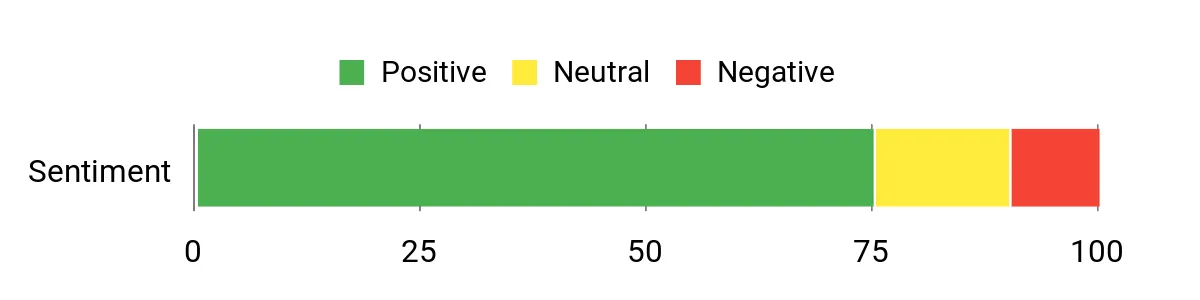
Users commonly praise Dart’s clean interface and automation tools, saying they get up to speed quickly and save time on routine tasks. A few people also note areas to improve—mobile parity, some project management nuances, and team permissions—so you get both enthusiasm and practical feedback.
Overall Sentiment: Positive
🗣️ solkennedy
I came from TickTick and Todoist and found Dart significantly more advanced: highly flexible UI, customizable statuses, and strong automation potential—great value for the price.
🗣️ Eguiarte
Dart has one of the cleanest UI/UX experiences for project management I’ve used; automations actually save time and it’s easy to get productive within minutes.
|
Pros |
Cons |
|---|---|
|
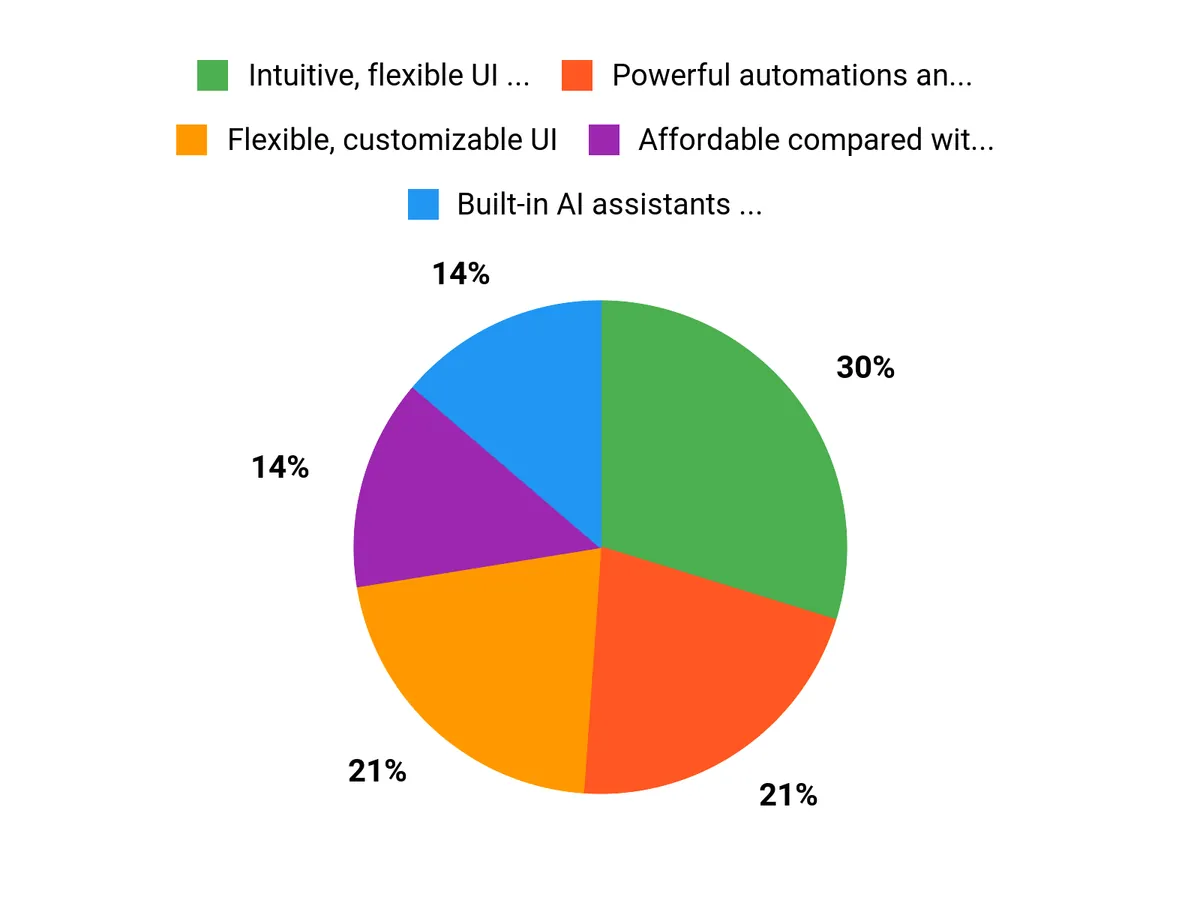
✅ Intuitive, flexible UI that adapts to different workflows |
❌ Mobile app isn’t fully on par with web and lacks offline support |
|
✅ Powerful automations and AI helpers |
❌ Some PM features (like advanced access controls and detailed calendar duration handling) need refinement |
|
✅ Affordable compared with heavier PM suites |
❌ User limit and role management on certain plans can be restrictive |
|
✅ Active developer responsiveness and frequent updates |
|
|
Aspect |
Ease Level |
Notes |
|---|---|---|
|
Onboarding |
Easy |
Clean interface makes it quick to set up projects and get productive in minutes. |
|
Mobile App |
Moderate |
Useful for on-the-go updates but lacks full parity with the web app and offline support. |
|
Task Management |
Moderate |
Very flexible with custom statuses, though some common actions require more taps than expected. |
Generally snappy on the web; occasional API/feature gaps reported for advanced integrations.
|
Software |
Integration Quality |
|---|---|
|
Google Calendar |
Good — calendar sync works but some users asked for better day-load visibility. |
|
Slack |
Solid — useful for notifications and quick updates. |
|
Cursor / MCP APIs |
Developing — users report some missing methods and active work to improve integration. |
Dart supports team boards, comments, attachments, and basic role-based access. Keep in mind some AppSumo plan limits (like a 40-user cap and invite permissions) may require workarounds; the team is responsive about improving access controls.
Reporting covers task statuses and timeline views; analytics are straightforward rather than exhaustive, so it’s best for teams that want practical visibility without heavy reporting complexity.
Current Price: $59
Rating: 4.67 (Total: 39+)
You should consider Dart if you want a single, modern platform that blends project management with content marketing workflows and AI features — it's Trending now for good reasons like an intuitive UI, AI agents for automations, and flexible task properties. The AppSumo offering is currently $59 compared with an original price of $196, and user feedback averages around a 4.67 rating, so you get a lot of capability for the price. Be realistic about trade-offs: Dart is actively evolving, so things like mobile parity, offline support, some calendar calculations, and advanced permission controls are still improving. A practical buying approach is to pilot Dart on one or two projects during the return window, map your content production steps to Dart’s statuses and templates, and validate that integrations and team limits meet your needs before fully committing.
You’ll find Dart strong for collaboration but with important caveats: some plans (like AppSumo deals) have a hard teammate quota that can hit about 40 users across projects and role management is more limited than enterprise PM tools, so manage invites carefully and use Guest roles when you need to restrict invites. Dart supports native file attachments and task-level automation, and the team is actively improving APIs and integrations (users have reported gaps with MCP and Cursor integrations that the developers are addressing).
If your workflow requires strict role controls, white labeling, or advanced resource calendars right away, evaluate those needs in a short pilot and engage the Dart support Discord to confirm roadmap timelines and workarounds.
You can make Dart work well for editorial calendars and content operations by setting up clear templates, custom statuses, and properties (enable Start Date and other fields you rely on), using automation to generate briefs or move tasks through stages, and attaching source files directly to tasks. Since calendar duration behavior and mobile parity can differ from other PM tools, adopt small rollout steps: migrate one content pipeline, train the team on shortcuts and status conventions, and keep a feedback loop with support or Discord to surface glitches.
Rely on the platform’s AI for routine copy or task generation where appropriate, but review outputs closely. If you need more advanced features later, document the gaps (permissions, non-working day calendars, white labeling, or larger user quotas) and use that list to prioritize whether to stay on Dart or complement it with other tools.
You choose Dart because it combines content marketing and project management into one intuitive workspace, so you can plan, create, review, and publish without juggling multiple tools. Its collaborative features, customizable templates, seamless integrations, and real-time workflow visibility help you save time, reduce errors, and keep your team aligned from brief to launch.
Bottom line: Dart is a compact, powerful platform that blends project management and content marketing workflows at a competitive price of $59. You get an easy-to-learn UI, strong automation, and collaboration tools that help you produce work faster. Expect continued improvements around mobile parity, access controls, and some calendar/duration details, but if you value simplicity and practical AI assistance, Dart is worth trying.
This Roundup is reader-supported. When you click through links we may earn a referral commission on qualifying purchases.


