You need tools that move as fast as your ideas. In 2026, web builders are more powerful and more specialized than ever—some help you launch funnels and courses, others add motion and immersive storytelling, and a few turn simple spreadsheets into live sites. Choosing the right platform saves you time, cuts recurring costs, and helps you launch higher-converting experiences. This guide shows which web builders fit different goals so you can pick the one that helps you build, sell, or showcase better and faster.
|
Category |
Product |
Price |
Score |
|---|---|---|---|
|
🏆 Best All-In-One |
$49 |
92/100 |
|
|
🎨 Best for Animations |
$79 |
88/100 |
|
|
🚀 Best for Scrollytelling |
$74.99 |
85/100 |
|
|
🎯 Best for Pre-Launch |
$59 |
87/100 |
|
|
🔰 Best for Sheet-Powered Sites |
$39 |
74/100 |
You want platforms that solve real problems quickly, so we focused on practical value: feature completeness (funnels, LMS, animations, or integrations), ease of use for non-technical users, unique strengths (for example scroll-driven storytelling or sheet-to-site automation), support quality and community feedback, and overall price-to-value for a typical small business, creator, or agency. We also considered performance and how well each tool helps you convert visitors into customers.

FlexiFunnels is a single place where you can build pages, funnels, checkouts, and courses without stitching a dozen web builders together. You can type a prompt and get a usable page, wire up a checkout, add an LMS course, and start collecting payments in hours. For everyday use it's great for launching new offers, running client projects, or streamlining course delivery.
For bigger moments — launches, webinars, Black Friday — the built-in conversion tools (bump offers, cart abandonment, split testing) help you squeeze more value from the same traffic. If you’re tired of juggling tools, this feels like a sensible, time-saving switch.
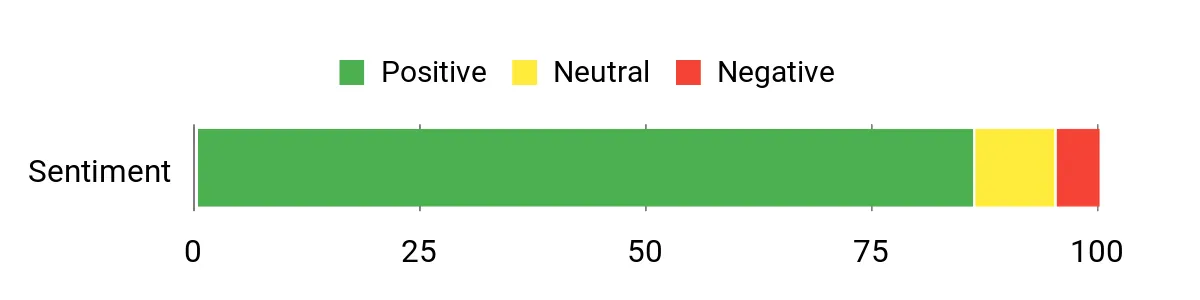
Customers consistently mention how the AI builder speeds up page creation and how having pages, funnels, checkout, and LMS in one place cuts down on tool sprawl. Some users note a short learning curve and a few regional limits (like EU VAT/localization), but overall feedback highlights performance and helpful support.
Overall Sentiment: Positive
🗣️ mtrifiro
The AI page creator builds great-looking pages fast, even if you’re not a designer. I was able to throw up pages in short order and the support team is prompt and competent.
🗣️ Zayden47
The AI website builder produces usable pages from simple prompts and the AI marketing agents help churn out email sequences and ad copy. The conversion features — bump offers, cart abandonment, split tests — are practical and save time.
|
Aspect |
Ease Level |
Notes |
|---|---|---|
|
Onboarding |
Moderate |
There's a bit of a learning curve because the platform packs a lot in, but guided prompts and templates help you get started quickly. |
|
Editor & AI Builder |
Easy |
Type a prompt and get a usable page; most edits are text and image swaps rather than rebuilding from scratch. |
|
Funnel Builder |
Easy |
Visual funnel flows and connected checkouts make it straightforward to link pages, upsells, and follow-ups. |
|
LMS |
Easy |
Course creation, modules, drip content, and student tracking work smoothly once you select the right tier. |
|
Support |
Fast |
Multiple reviewers reported quick, helpful responses when they ran into setup issues. |
|
Software |
Integration Quality |
|---|---|
|
Payment Gateways |
Good |
|
Email Providers / Automation |
Moderate |
|
Analytics & Meta CAPI |
Good |
|
Webhooks / Zapier |
Good |
|
Feature |
Protection Level |
|---|---|
|
SSL / HTTPS |
Standard |
|
Data Export & Ownership |
Good |
|
GDPR & EU Readiness |
Limited (work in progress) |
Current Price: $49
Rating: 4.38 (total: 16+)

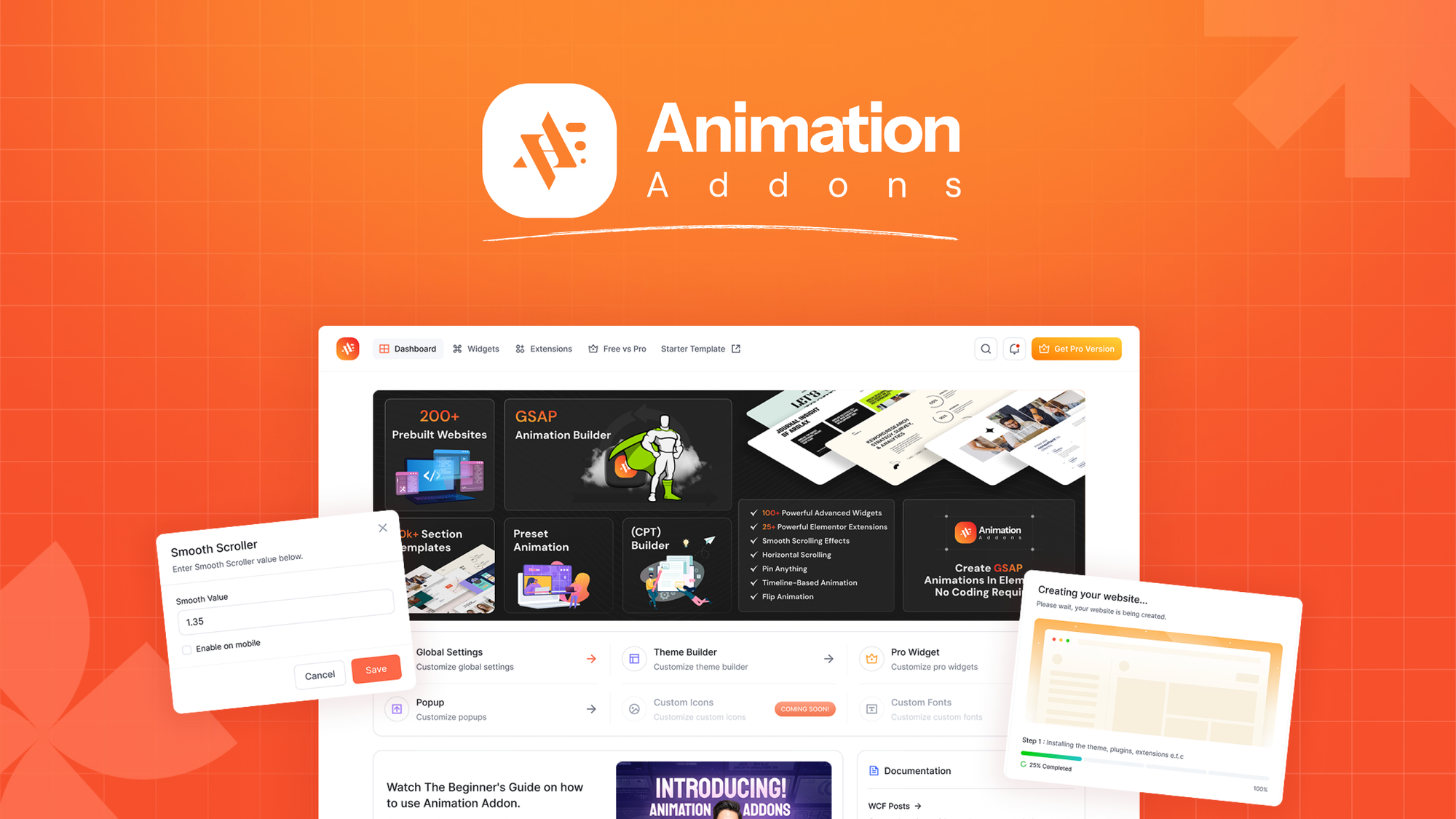
Animation Addons brings GSAP-powered motion to Elementor so you can add real movement to your pages without touching code. If you build sites with web builders and want to make them feel modern, this plugin gives you ready-made animated widgets, a growing template library, and fine-grained control over which GSAP scripts load. For everyday use, it speeds up building attention-grabbing sections and micro-interactions; for big launches or portfolio pieces, the scroll and pinning tools help you craft memorable experiences.
You’ll appreciate the copy/paste JSON export, lightweight animations, and the ability to pick only the GSAP pieces you need—just be mindful of potential theme conflicts around smooth-scrolling scripts.
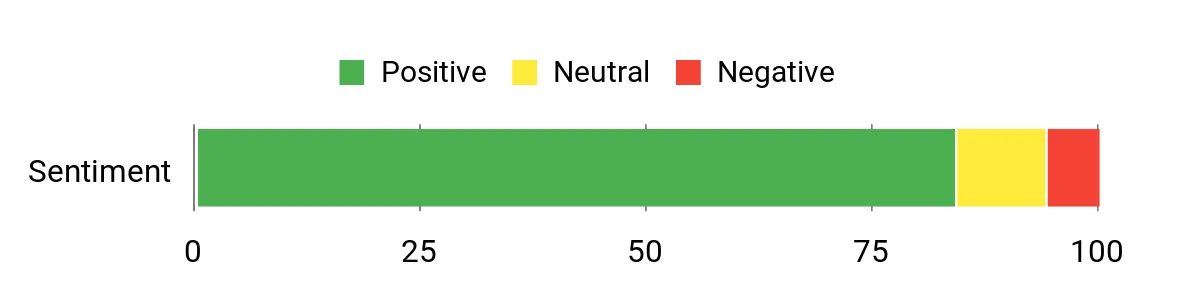
Users praise the GSAP support and lightweight animations, noting that the copy/paste system and templates save time. A few experienced users flag occasional conflicts with themes that include smooth-scrolling scripts and wish for clearer library categorization.
Overall Sentiment: Positive
🗣️ districtraj
Loading performance has improved and the GSAP integration is a huge plus. The copy/paste JSON system is one of the best I’ve seen for Elementor and makes reusing designs very quick.
🗣️ b6e9470ed9c5406abcee84b44274e40a
Animations are visually impressive yet lightweight, and the 100+ widgets speed up development. Ready-made templates make it easy to add modern motion without custom code.
|
Aspect |
Ease Level |
Notes |
|---|---|---|
|
Onboarding |
Moderate |
You’ll get started quickly if you know Elementor, but there’s a short learning curve for advanced GSAP features. |
|
Animation Builder |
Moderate |
The builder gives control without code, though some advanced behaviors (sticky/pinned items) may need extra tweaking. |
|
Template Library |
Easy |
Ready sections and templates speed up work, and the JSON copy/paste is especially handy for repeating designs. |
|
Performance |
Good |
Animations are generally lightweight, and recent updates improved load times—just watch theme-level smooth scroller conflicts. |
|
Support |
Fast |
Responses are generally helpful and the team actively replies to detailed feedback. |
|
Software |
Integration Quality |
|---|---|
|
Elementor |
Excellent |
|
WordPress Themes |
Moderate (possible GSAP/smooth-scroller conflicts) |
|
GSAP Libraries |
Good (selective loading available) |
|
Third-Party Scrollers |
Mixed (may require manual dequeueing to avoid clashes) |
|
Feature |
Protection Level |
|---|---|
|
Selective Script Loading |
Moderate |
|
Asset Management / Dequeue Options |
Moderate |
|
Regular Updates |
Good |
Current Price: $79
Rating: 4.83 (total: 6+)

Scrollsequence turns video or image sequences into smooth, scroll-driven animations you control with mousewheel or touch. If you use web builders or hand-code pages, it’s a simple way to add Apple-style reveals and product demos without wrestling with complex timelines. For everyday use, drop a sequence into a hero or feature section to make landing pages and portfolios more engaging; for special moments like a product launch or campaign, you can build a narrative reveal that guides visitors through a story.
It’s responsive, SEO-friendly, and plays nicely with popular page builders—handy when you want high-impact visuals with minimal fuss. If you want a tool that gives your pages a memorable wow factor without bloating your site, this is a practical pick.
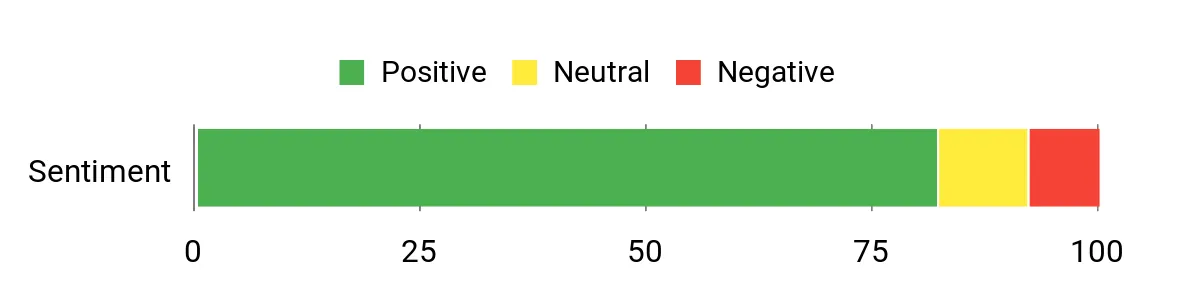
Users appreciate how quickly they can create polished, scroll-driven animations and repeatedly call out Scrollsequence’s strength for product demos and storytelling. Many note it works across WordPress and plain HTML sites and praise the smooth, responsive playback.
Overall Sentiment: Positive
🗣️ Will_Wow_Web
Always wanted to build websites similar to Apple's with the scrolling-animation effect. Finally got my first one built within 2-hr — it's actually pretty fast and easy to use. The end result is visually stunning and works well after converting video to image sequences.
🗣️ HenrikT1
Works on WordPress and other HTML/CSS sites. Great for showing products in a narrative way—gives users a sense of control as they scroll, which is perfect for product demos and attention-grabbing reveals.
|
Aspect |
Ease Level |
Notes |
|---|---|---|
|
Onboarding |
Easy |
You can get a basic sequence running quickly, especially if you already use a page builder. |
|
Sequence Creation |
Moderate |
Converting video to image sequences and tweaking settings takes a bit of trial and error, but yields great visual results. |
|
Editor Integration |
Good |
Plays well with Elementor, Divi, and Oxygen so you can slot effects into existing layouts. |
|
Performance Tuning |
Moderate |
Smart pre-loading helps, but very large sequences need attention to keep pages snappy. |
|
Support |
Responsive |
Author replies to feedback and users report helpful follow-ups for troubleshooting. |
|
Software |
Integration Quality |
|---|---|
|
Elementor |
Excellent |
|
Divi |
Good |
|
Oxygen |
Good |
|
Plain HTML/CSS |
Excellent (manual integration possible) |
|
Feature |
Protection Level |
|---|---|
|
Smart Image Pre-loading |
Moderate |
|
Responsive Asset Scaling |
Moderate |
|
Regular Plugin Updates |
Good |
Current Price: $74.99
Rating: 4.4 (total: 10+)
Waitlister makes managing a waitlist painless so you can focus on building what matters. You’ll set up branded signup forms, automate welcome emails, and track growth without wrestling with complicated tools. For everyday use, it’s great when you need a simple signup flow for newsletters, beta programs, or event RSVPs; for special occasions like a product launch or limited pre-sale, the built-in segmentation and email automation help you turn curiosity into committed signups. It works alongside your usual web builders and offers API/webhook options if you want deeper wiring.
If you want a fuss-free way to capture interest and keep people engaged while you finish the product, this is a solid, practical pick.
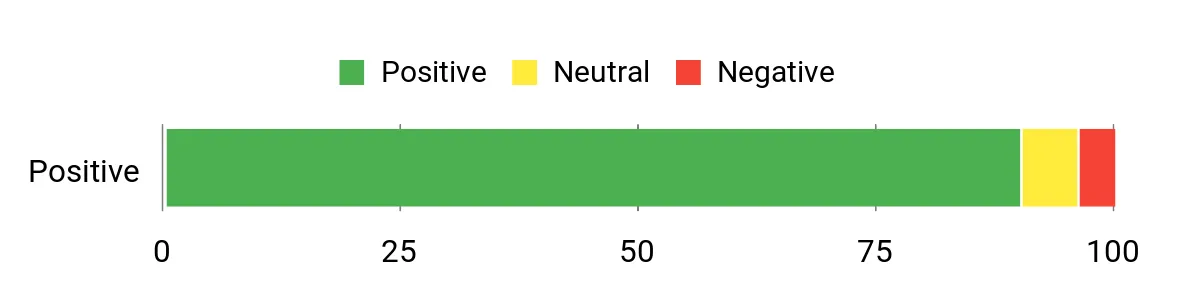
Users consistently call out very responsive support, an intuitive builder, and how quickly they can launch a professional-looking landing page. Many appreciate the integrations and email features that make follow-up easy.
Overall Sentiment: Positive
🗣️ John.doe
I had an issue with my domain configuration for email sending, and the founder solved it incredibly quickly. Support alone makes this worth it. Compared to Viral Loop and others, Waitlister was more intuitive, faster to set up, and clearly built with attention to detail.
🗣️ ahesvn8888
Perfect for validating ideas and building hype. The platform was incredibly easy to use even for non-technical team members — we created a clean landing page with branding and a signup form within minutes. Small translation issues, but support is responsive.
|
Aspect |
Ease Level |
Notes |
|---|---|---|
|
Onboarding |
Easy |
You can have a basic waitlist page live in minutes without coding. |
|
Builder |
Easy |
Drag-and-drop and template options make customization straightforward, even for non-technical users. |
|
Integrations |
Good |
Standard API access, webhooks, and built-in integrations handle most workflows. |
|
Email Automation |
Good |
Automated welcome emails and email limits are easy to configure and monitor. |
|
Support |
Responsive |
Multiple reviewers highlighted fast, helpful responses from the founder and team. |
|
Software |
Integration Quality |
|---|---|
|
Klaviyo |
Good |
|
Mailchimp |
Good |
|
Webhooks |
Excellent |
|
API |
Standard (works well for common use cases) |
|
Feature |
Protection Level |
|---|---|
|
Email Verification |
Good |
|
Custom Domains |
Good |
|
Standard API Access |
Moderate |
|
Data Export |
Moderate |
Current Price: $59
Rating: 4.33 (total: 5+)

If you like organizing content in spreadsheets, Sheetany feels like a tiny superpower. You connect a Google Sheet and you can publish pages, directories, or simple affiliate sites without touching a line of code. For everyday use, it’s great when you want to manage listings, product rows, or blog-like collections from a familiar interface — update the sheet, and your site updates. For special projects (a launch microsite, a temporary directory, or a content-driven affiliate hub), the CNAME, SSL, and white-label options mean it looks and behaves like a proper site alongside other web builders.
Expect some setup around column naming and sync behavior, but once you’re past that, it’s a fast, low-cost way to turn spreadsheet data into a live site you can brand and share. If you want a practical, no-code path from data to web presence, Sheetany is an easy tool to experiment with and keep in your toolkit.
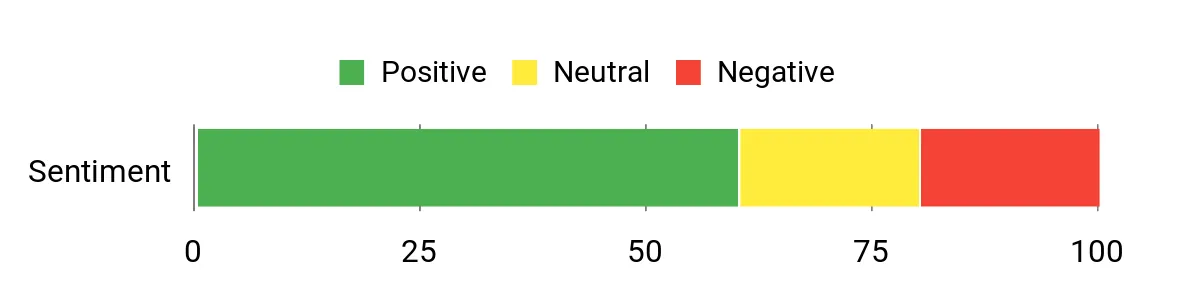
Users like how Sheetany turns a familiar spreadsheet workflow into a live website with minimal friction. Reviewers highlight strong automation potential and responsive support, while a few early hiccups around advanced features and docs have been noted and addressed.
Overall Sentiment: Mixed
🗣️ AlexEdustyle
I built a fully automated pipeline that published 89 articles from a sheet and integrated the Gemini API — the idea and automation potential are huge. The reviewer also warned about SSR and indexing issues earlier, but later updates fixed those critical problems, making the platform usable for content automation.
🗣️ brandonhull
Tier 2 worked well for me. I hit a couple of minor customization snags, but support was fast and helpful. For what it promises at this price, it overdelivers on ease of use and setup.
|
Aspect |
Ease Level |
Notes |
|---|---|---|
|
Onboarding |
Moderate |
You’ll move faster if you follow the docs for column naming, but basic sites can be live quickly. |
|
Builder |
Easy |
No-code templates and sheet-driven content make simple layouts straightforward to manage. |
|
Sync & Automation |
Moderate |
Auto-sync works for many cases, but some reviewers preferred manual setup until advanced features matured. |
|
Customization |
Good |
You can brand sites and remove the Sheetany badge on paid plans, though deep custom edits can be limited. |
|
Support |
Responsive |
Several users praised fast, helpful replies from the team when issues cropped up. |
|
Software |
Integration Quality |
|---|---|
|
Google Sheets |
Excellent |
|
Gemini / AI APIs |
Good (works for content automation with proper setup) |
|
Custom Domains (CNAME) |
Good |
|
Webhooks / API |
Limited (some features still maturing) |
|
Feature |
Protection Level |
|---|---|
|
SSL (HTTPS) |
Good |
|
Password Protection |
Good |
|
Custom Domains |
Good |
|
Data Export |
Moderate |
Current Price: $39
Rating: 4.07 (total: 5+)
You should start by matching the platform to your specific goals rather than chasing the newest buzz. If you sell courses or digital products, prioritize a builder with an LMS, checkout, and automation so you can avoid paying for many separate tools; for example, FlexiFunnels is positioned as an all-in-one option and its AppSumo tier from reviews was $49, which appealed to buyers who wanted funnels, LMS, and checkout in one place.
If your focus is immersive visuals or product storytelling, consider an animation or scroll tool like Animation Addons ($79) or Scrollsequence ($74.99). If you want ultra-simple content updates from spreadsheets, Sheetany ($39) might fit.
Evaluate performance (page speed and hosting), SEO (SSR or proper rendering), integrations (email, analytics, payment gateways), compliance needs (GDPR, VAT for EU sales), scalability and support responsiveness. Try a demo or free tier, test a small real workflow end to end, and confirm upgrade paths and export or migration options so you don’t get locked in.
You’ll find AI page builders can dramatically speed up your workflow and remove friction for simple launches, but they rarely replace the need for human strategy, fine tuning, and custom code on complex projects. AI is great at producing first drafts, layout ideas, and copy that you can iterate on; users of FlexiFunnels praised its AI page creator for getting usable pages out of a prompt. However, you’ll still need to review accessibility, conversion copy, analytics, and performance, and a developer is often required for advanced integrations or to resolve theme/plugin conflicts. Treat AI as a productivity multiplier: use it to prototype fast, then optimize and test manually with real visitors.
You should assume modern web builders deliver convenience but require active work to maintain speed, security, and legal compliance. Optimize images and media, enable lazy loading and smart preloading, and use a CDN and good hosting to protect load times. Watch for plugin conflicts and heavy animation libraries—some animation addons may force extra scripts like Smooth Scroller which can break sticky elements, so selectively load only the scripts you need.
Verify server-side rendering and sitemap output if SEO and AI visibility matter; users reported SSR issues with some sheet-to-site engines until fixed, so test crawlers and Google Search Console early. For EU customers check VAT and GDPR support and ask sales or docs about data residency and compliance; some platforms may still be improving EU-specific features.
Finally, use staging environments, run Lighthouse/PageSpeed audits, set up automated backups and monitor uptime, and confirm that support and onboarding resources are responsive so you can resolve issues quickly.
When you’re choosing between FlexiFunnels, Animation Addons, and Scrollsequence, you mostly prioritize whether you need conversion-focused ease and templates, fine-grained motion control with lightweight performance, or immersive scroll-driven storytelling that hooks visitors. So you pick FlexiFunnels for ready-made funnels and analytics, Animation Addons when you want detailed, performant animations, and Scrollsequence when narrative, timeline-based interactions are your top concern.
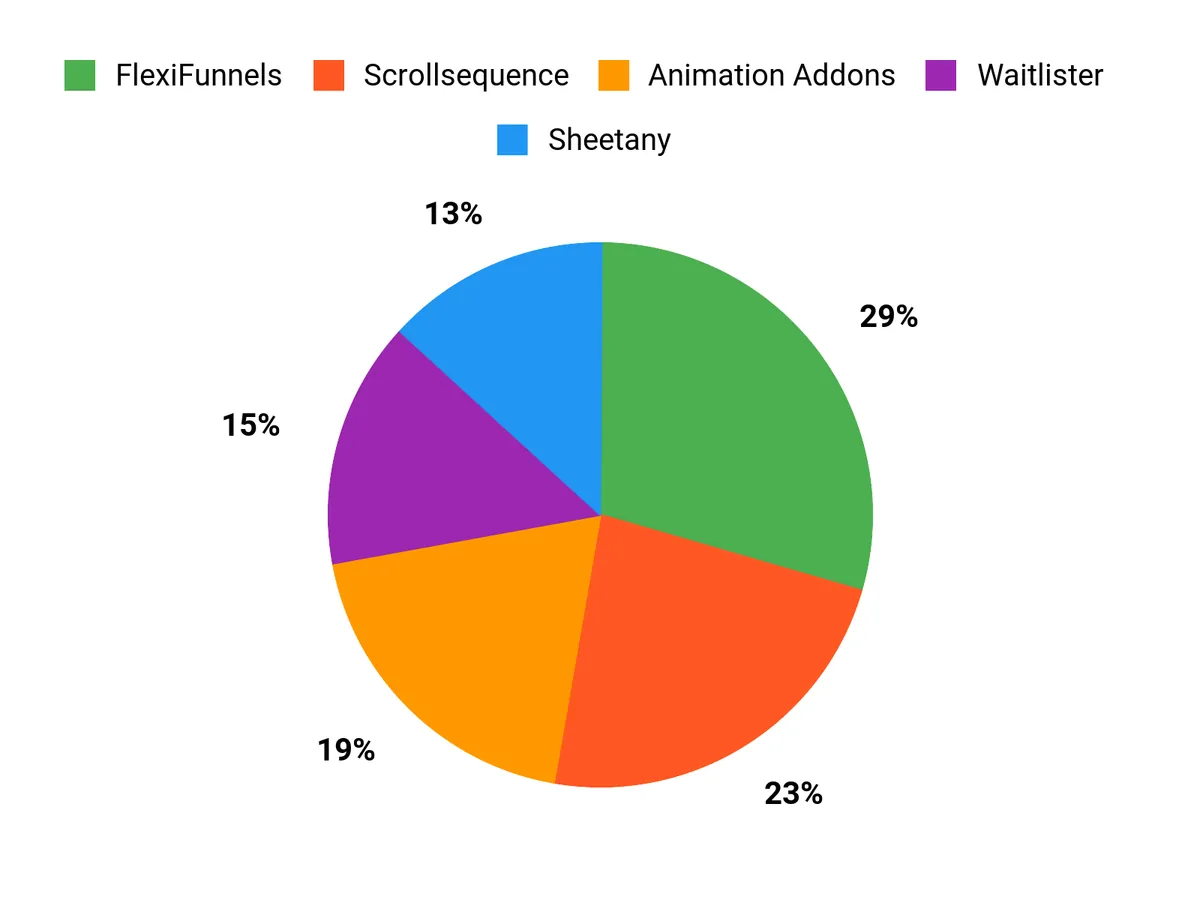
Picking the right web builders in 2026 means matching the platform to your goal. If you want a single place to design pages, run funnels, sell courses, and automate emails, FlexiFunnels gives you the most complete toolkit.
If motion and modern interactions matter, Animation Addons and Scrollsequence help you create attention-grabbing experiences that improve engagement. For validating ideas, collecting leads, and managing pre-launch audiences, Waitlister is fast and focused.
If you prefer a no-code, content-driven approach that turns spreadsheets into live sites, Sheetany can speed up content workflows. Use this list to match your priority—conversion, creativity, launch speed, or automation—and choose the builder that helps you move from idea to live site with less friction.
| Product | Image | Rating | Key Highlights | Target Audience | Pricing Plans | Limitations |
|---|---|---|---|---|---|---|
| FlexiFunnels |
|
4.38/5 (16 reviews) |
|
|
|
|
| Animation Addons |
|
4.8/5 (6 reviews) |
|
|
|
|
| Scrollsequence |
|
4.4/5 (10 reviews) |
|
|
|
|
| Waitlister |
|
4.33/5 (9 reviews) |
|
|
|
|
| Sheetany |
|
3.6/5 (14 reviews) |
|
|
|
|
This Roundup is reader-supported. When you click through links we may earn a referral commission on qualifying purchases.