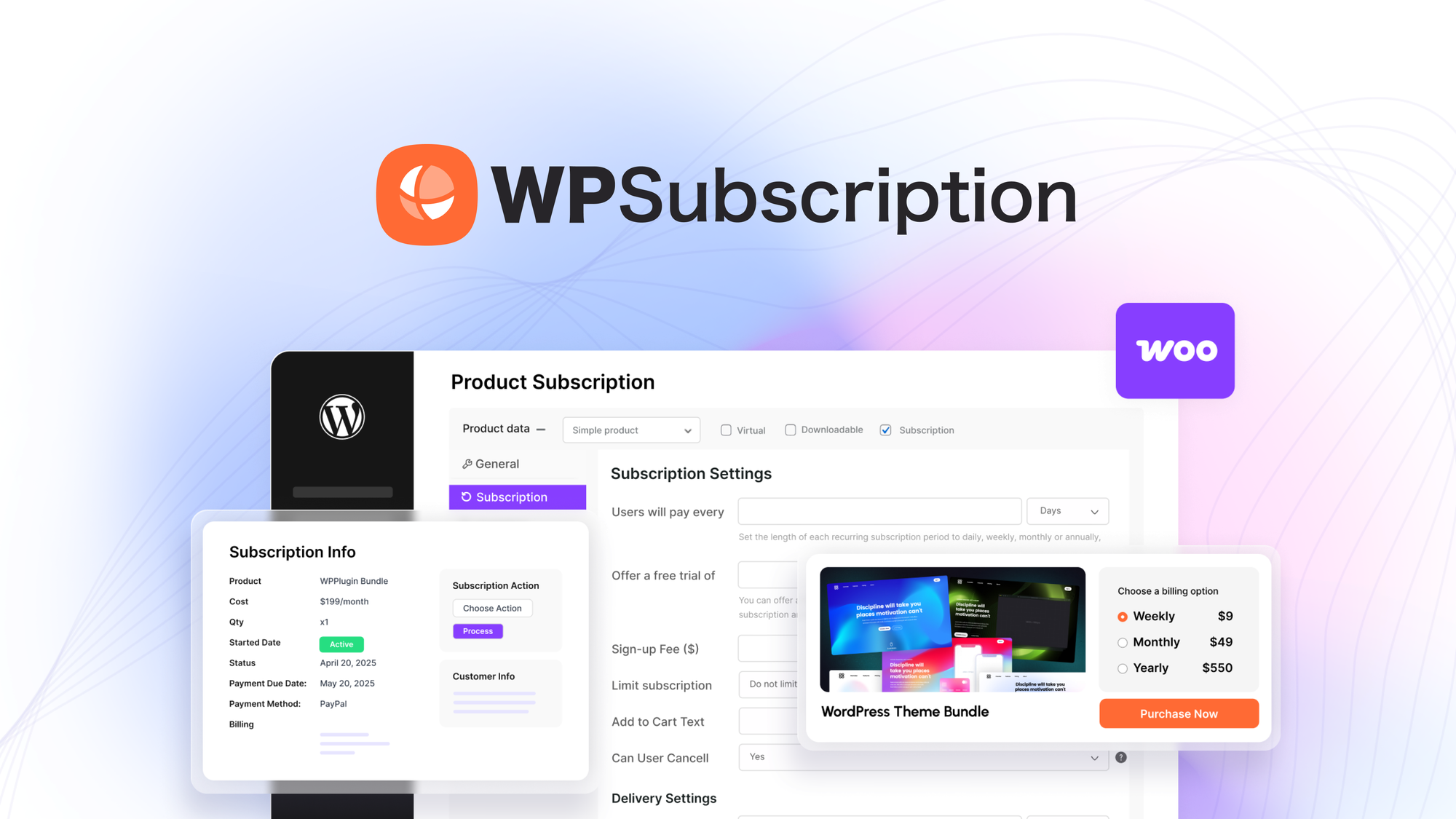
Choosing the right SaaS tools can make or break your ecommerce growth. You need solutions that save time, reduce costs, and help you convert visitors into customers. This roundup highlights five practical tools that address checkout and funnels, subscriptions, media hosting, and selling digital products like Google Sheets. Read on to see which tool fits your current priorities and how each one can help you scale more efficiently.
|
Category |
Product |
Price |
Score |
|---|---|---|---|
|
🏆 Best for Creators |
$89 |
94/100 |
|
|
💰 Best for Subscriptions |
$69 |
88/100 |
|
|
🚀 Best for Funnels |
$19 |
60/100 |
|
|
🎨 Best for Media Hosting |
$99 |
78/100 |
|
|
🎯 Best for Selling Sheets |
$30 |
82/100 |
You want tools that move the needle without adding complexity. We focused on criteria that matter to your ecommerce operations: - Conversion impact: tools that improve checkout, upsells, or recurring revenue.
- Ease of setup: how quickly you can launch and iterate without long technical overhead. - Integrations: compatibility with payments, WooCommerce, Zapier, and common marketing stacks.
- Pricing fairness: predictable costs or lifetime deals that make sense for small businesses and creators. - Support and product momentum: active teams and realistic roadmaps so you don’t get stuck.
Each pick balances these factors so you can choose based on whether you prioritize conversions, subscriptions, funnels, media, or info-product monetization.
Zylvie is built for creators and coaches who want a simple, commission-free way to sell courses, ebooks, templates and subscriptions. You can spin up clean sales pages and funnels in minutes, run flash sales with timers, offer bumps and upsells, and keep more of your revenue thanks to a forever-0% commission model.
It works well for daily needs like selling a weekly workshop or gated checklist, and for special launches — think course drops or limited-time bundles — where flash sales and upsells matter. The interface is designed to be beginner-friendly, and the team is quick to respond when you need help. If you want a straightforward checkout + funnel tool that keeps fees down and gets you selling fast, Zylvie is worth a look.
Users consistently praise Zylvie for its ease of use and fast, helpful support. Creators say they can publish pages quickly, rely on Stripe for payments, and appreciate that the team acts on feedback — though a few people note small UX improvements that would make things even smoother.
Overall Sentiment: Positive

🗣️ briangibbs
Built for Speed, Backed by Real Support — Setup was a breeze. Product pages and categories took minutes to publish, with a clean, professional layout out of the box. Stripe integration was flawless. One hiccup on reordering pricing tiers was resolved quickly after contacting Jay, who rolled out a new sorting feature within days.
🗣️ barbabellakennel
Excellent product — Impressed with speed and quality of support; I asked about Polish and a few hours later it was enabled. Flash sales with a visible timer and bump offers work well. A few UX details could be clearer, but overall it's a diamond that just needs a little polishing.
Pages and checkout are reported to be fast; users highlight quick setup and snappy page publishing. Stripe payments go through without friction.
|
Software |
Integration Quality |
|---|---|
|
Stripe |
Seamless, one-click payment setup |
|
Zapier |
Reliable automation triggers for common workflows |
|
Pabbly |
Solid connection options for automations |
|
Webhooks |
Direct webhooks for custom integrations |
|
Built-in Affiliate/Referral |
Native system available on higher tiers |
|
Feature |
Protection Level |
|---|---|
|
Payment Processing (Stripe) |
Handled by Stripe with industry-standard payment security |
|
Custom Domain / CNAME |
Domain control to present branded checkout |
|
Webhooks & API |
Secure connections for data transfer and automations |
|
Account Access Controls |
Standard account controls to manage who can edit stores |
Generally reliable with quick responses from support. Several users report prompt fixes and roadmap-driven improvements when issues arise.
Current Price: $89
Rating: 4.76 (total: 55+)
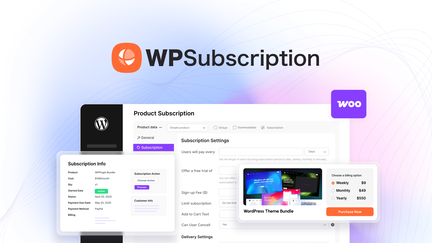
WPSubscription plugs into your WooCommerce store so you can sell memberships, recurring boxes, licenses or any product that needs scheduled billing. You can connect Stripe, PayPal or Paddle and configure signup fees, trial periods and renewal schedules without wrestling with complex code. For everyday needs it's great for monthly memberships, recurring product deliveries or paid newsletters; for special moments you can launch limited-time plans, anniversary tiers or promo pricing for a new course.
If you want a straightforward way to add subscriptions to a WooCommerce site and prefer managing billing inside your store, this is an easy, practical choice you can configure and refine as you go.
Customers commonly note that WPSubscription is dependable for running subscriptions on live stores. People appreciate that payments process smoothly and that the plugin offers a lot of useful options; a few users ask for additional subscription types but say support moves quickly.
Overall Sentiment: Positive

🗣️ Bob.
Used for a few months with steady results — the plugin has run consistently on live pages with only minor bugs. The reviewer praises reliable recurring payments and asks for expanded subscription options (like variable product subscriptions) but notes support is responsive.
🗣️ joeypipes
Great add-on for a WooCommerce toolkit — flexible subscription options and a clear interface. It takes some learning to unlock everything, but once you do you can create many subscription types and manage them smoothly.
Payments and renewals are reported to process reliably via Stripe/PayPal/Paddle. Users describe the plugin as stable in production with only occasional minor issues that don’t disrupt billing.
|
Software |
Integration Quality |
|---|---|
|
Stripe |
Reliable recurring payments and smooth checkout flow |
|
PayPal |
Standard recurring billing support for PayPal accounts |
|
Paddle |
Built-in option for handling payments and taxes via Paddle |
|
WooCommerce |
Native compatibility — works inside your existing product and order workflows |
|
Webhooks / APIs |
Supports webhooks for automations and external syncs |
|
Feature |
Protection Level |
|---|---|
|
Payment Processing |
Handled by Stripe/PayPal/Paddle with their industry-standard security |
|
WooCommerce Account Controls |
Leverages existing store user roles and access settings |
|
Secure Webhooks |
Encrypted webhook events for safe data transfer |
|
No-hosted customer data |
Sensitive payment info is processed by payment providers, reducing on-site risk |
Generally reliable in production with multiple users reporting steady recurring billing. A few feature gaps and small bugs have been called out, but support is active and responsive when issues come up.
Current Price: $69
Rating: 4.82 (total: 5+)

fluXtore is a funnel builder that lives inside WordPress and hooks into WooCommerce so you can create checkout flows, order bumps, upsells and downsells without leaving your site. You can drag together optimized templates, run A/B tests and track performance with built-in analytics.
For everyday use it’s handy when you want to spin up simple funnels for products, courses, or digital downloads; for special launches it gives you quick upsell/downsell sequences and one-click order bumps to boost average order value. If you prefer keeping everything in WordPress and want an affordable option for multiple funnels, it’s worth trying — just plan to test in a staging site first and be ready to tinker with compatibility on some themes or plugins.
Customer feedback is mixed: several users praise responsive support and the value for money, while others report compatibility issues with certain themes or page builders and a noticeable learning curve. People who stick with it often highlight support and the funnel-focused feature set.
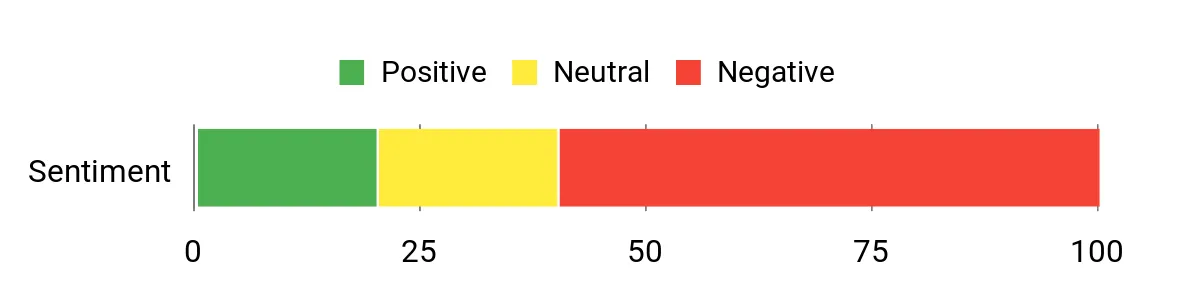
Overall Sentiment: Negative
🗣️ reyazudemy
Support and pricing were highlights — reviewer praised the founders’ responsiveness and said the generous pricing and ability to create multiple funnels made fluXtore useful for building individual funnels quickly.
🗣️ flic
Notes that support is responsive but warns of a learning curve: “Their support is responsive but product has a deep learning curve.” This points to real-world help being available when you need it.
The plugin is designed to be lightweight and fast for building funnels, and many users find page-builder performance acceptable. That said, a few reviewers reported site issues or checkout limitations that affected live performance, so your experience will depend on hosting, WooCommerce setup and other installed plugins.
|
Software |
Integration Quality |
|---|---|
|
WooCommerce |
Native integration — handles checkout flows via WooCommerce but may conflict with some third-party extensions |
|
Gutenberg / Elementor / Bricks |
Templates and builder support exist, but users reported missing Gutenberg templates and some incompatibilities (Divi noted as problematic) |
|
Payment Gateways |
Uses your WooCommerce payment gateways, so gateway security and processing depend on your payment provider |
|
Built-in Analytics |
Provides Analytics Pro and A/B testing for funnel optimization without extra tools |
|
Feature |
Protection Level |
|---|---|
|
Payment Handling |
Relies on WooCommerce and your payment provider for PCI-compliant processing |
|
Plugin Permissions |
Runs as a WordPress plugin — follows site user roles and server-side protections |
|
Debug & Support Access |
Support may request admin access to troubleshoot, so you should use staging or backups before granting access |
|
Updates & Fixes |
Active updates planned; developer responses indicate ongoing patches to address bugs |
Mixed reliability: some users run fluXtore successfully and praise support, while others ran into bugs, checkout limitations or compatibility problems. The team appears responsive and has promised fixes, but you should test on a staging site and keep backups.
Current Price: $19
Rating: 2.4 (total: 5+)

ShareMyImage is a lightweight image and video hosting service that makes it easy to store and share media for your store, portfolio, or client work. You can upload files up to 1 GB, organize them into folders and subfolders, and generate direct links, thumbnails, or embed codes.
For everyday use, it’s handy when you need a reliable place to host product photos or quick video previews; for special launches or seasonal campaigns, you can bulk-manage images and create CSV product listings for Shopify or WooCommerce. You’ll appreciate the global CDN for faster delivery, simple folder privacy options, and a straightforward interface when things work smoothly — just be aware a couple of upload methods have been temporarily restricted, so check the integrations you plan to use.
Users generally praise how ShareMyImage speeds up everyday workflows — especially hosting product images and sharing media with clients. A few people mentioned annoyances like UI navigation or certain upload methods being unavailable, but many find it reliable for site builds and quick sharing.
Overall Sentiment: Mixed

🗣️ nestor94
I use it every day to share videos and images with clients and my team. It’s fast, reliable, and really easy to use, which saves me time and keeps everything organized.
🗣️ NicheFriend
ShareMyImage makes hosting a breeze and speeds up website builds. It’s become an essential part of my tech stack for quickly adding images to projects.
Delivery is usually snappy thanks to the global CDN, so pages load faster when you embed hosted media. For most stores and portfolios it feels responsive; just note that some users reported clunky navigation when organizing large libraries.
|
Software |
Integration Quality |
|---|---|
|
Shopify / WooCommerce / Amazon / eBay |
CSV and bulk image management make adding product listings easier, though setup is manual for some platforms. |
|
ShareX |
Native ShareX support for quick screenshots and uploads works reliably for many users. |
|
API (programmatic access) |
API exists and supports several workflows, but URL-based uploads were temporarily disabled for security — check current status before relying on it. |
|
WhatsApp / Telegram / Social Sharing |
Generates shareable links that you can post directly to messaging apps and social platforms. |
|
Feature |
Protection Level |
|---|---|
|
Folder Privacy |
Options for public, private, or password-protected folders to control access |
|
Global CDN |
Speeds up delivery and provides regional caching to reduce load times |
|
API Upload Controls |
API is available, but URL uploads have been temporarily disabled for security; ShareX and other methods may still work |
|
Link Types & Access |
Multiple link formats let you choose direct or embedded access levels per use case |
Generally reliable for hosting and embedding media — many users report fast, consistent delivery and reduced site build time. A couple of reviewers hit snags with UI navigation or disabled upload routes, so you should confirm the specific features you need are active.
Current Price: $99
Rating: 4.57 (total: 5+)

Only Sheets makes it easy to sell access to Google Sheets without opening your files to "Anyone with Link." You can monetize checklists, templates, budgets, trackers, custom Apps Scripts and more — or use it to deliver gated freebies after someone signs up. For day-to-day use, it’s great when you want to sell a single helpful template or recurring trackers to customers; for launches or events, you can give attendees controlled access to schedules, resources, or private workbooks.
Setup is straightforward: connect your sheet, link a payment or form workflow (Stripe, Gumroad, Zapier), and Only Sheets handles access. If you create info-products from your spreadsheets, this is a simple, no-fuss way to turn them into revenue.
Customers highlight that Only Sheets solves a common problem: selling Google Sheets without exposing your entire Drive. Reviewers appreciate the privacy controls and the ability to connect payments or email-collection tools so buyers only get the files they purchased.
Overall Sentiment: Positive

🗣️ MarkD
Anyone who needs private google sheets or google drive folders for selling needs this.
Access is generally immediate after a successful purchase or form submission — the gating is lightweight so buyers can open sheets quickly. Any delay is usually tied to the payment or form provider you use (Stripe, Gumroad, Zapier).
|
Software |
Integration Quality |
|---|---|
|
Gumroad |
Direct selling via Gumroad is supported — a simple way to accept payments and grant access to buyers. |
|
Stripe |
Works with Stripe-based flows so you can take payments directly and then unlock sheet access for customers. |
|
Zapier |
Zapier lets you connect forms, CRMs, and other tools to automate granting access after purchase or signup. |
|
Typeform / Google Forms |
Use a form to collect emails, then connect it to Only Sheets to deliver free lead magnets or gated content. |
|
Feature |
Protection Level |
|---|---|
|
Sheet Protection |
Prevents sharing via "Anyone with Link" — access is granted only to authorized users. |
|
Email-Gated Access |
You can tie access to an email or a payment event so only purchasers or signups get view access. |
|
No Public Exposure |
Keeps your Drive files private while providing a secure viewing experience to buyers. |
|
Works With Existing Drive Permissions |
Leverages Google Drive controls so you don’t need to migrate files to another platform. |
Generally reliable for delivering gated Sheets — most delays come from third-party payment or form providers. The developer is responsive to feedback, which helps if you need tweaks or support.
Current Price: $30
Rating: 5.0 (total: 1+)
You should focus on one tool for checkout and funnels, one for subscriptions, one for funnels/upsells, one for media hosting, and one for light product monetization. For checkout and high-converting funnels consider Zylvie — it’s beginner-friendly, integrates with Stripe, and the entry offer is around $89 with lifetime plans that include sales caps; the biggest benefit is 0% commission so you keep more revenue.
For recurring billing and WooCommerce subscriptions look at WPSubscription (about $69) to handle Stripe/PayPal billing and renewal logic. For building funnels, order bumps, and one-click upsells try fluXtore (from $19) but be prepared for a learning curve and to check compatibility with your theme.
For fast, reliable image and video hosting choose a CDN-backed service like Share My Image (around $99) so your product pages load faster. If you sell spreadsheets, templates, or gated sheets, Only Sheets (about $30) lets you protect and monetize Google Sheets without exposing raw files.
You should verify integrations, limits, and support before you buy: check payment gateways (Stripe, PayPal, Paddle), platform compatibility (Shopify, WooCommerce, WordPress themes), and any lifetime-sale caps or site license limits that can affect growth. Read recent reviews and creator replies to see how responsive support is and whether the vendor ships roadmap items you need; for plugins note if additional pro plugins or versions are required to function correctly.
Always test in a staging environment or local site first, back up your live store, and confirm whether support needs admin access so you understand privacy tradeoffs. Finally, estimate ROI by comparing the plan price to expected lift in conversion rate, average order value, or time saved — small monthly or one-time fees like $19–$99 often pay for themselves if features increase revenue or reduce manual work.
You should set up a clear funnel: use a fast, well-tested checkout with visible trust signals, add one-click order bumps and upsells in your funnel tool, and make subscription billing transparent with clear renewal pricing. Optimize media by serving product images from a CDN-hosting service, compressing files, and using descriptive alt text for SEO.
Wire automations via Zapier, webhooks, or native integrations to sync customers, orders, and emails so you don't handle repetitive tasks manually. Instrument analytics and A/B tests, measure conversion rate and average order value, and iterate based on data; focus on small wins like simplifying checkout fields or adding a countdown timer for flash sales.
If you run into plugin conflicts or payment issues, involve vendor support early, keep logs of errors, and roll back to backups if needed — the fastest fixes usually come from reproducing the problem in staging and sharing exact steps with support for a quicker resolution.
When choosing between Zylvie Checkout, WPSubscription, and fluXtore, you focus on which tool best solves your immediate need—whether that’s a lightning-fast, conversion-optimized checkout, reliable subscription management and retention, or a customizable, high-performance storefront. You also weigh ease of integration, pricing and scalability, and dependable support so you can get up and running quickly and keep growing without technical headaches.
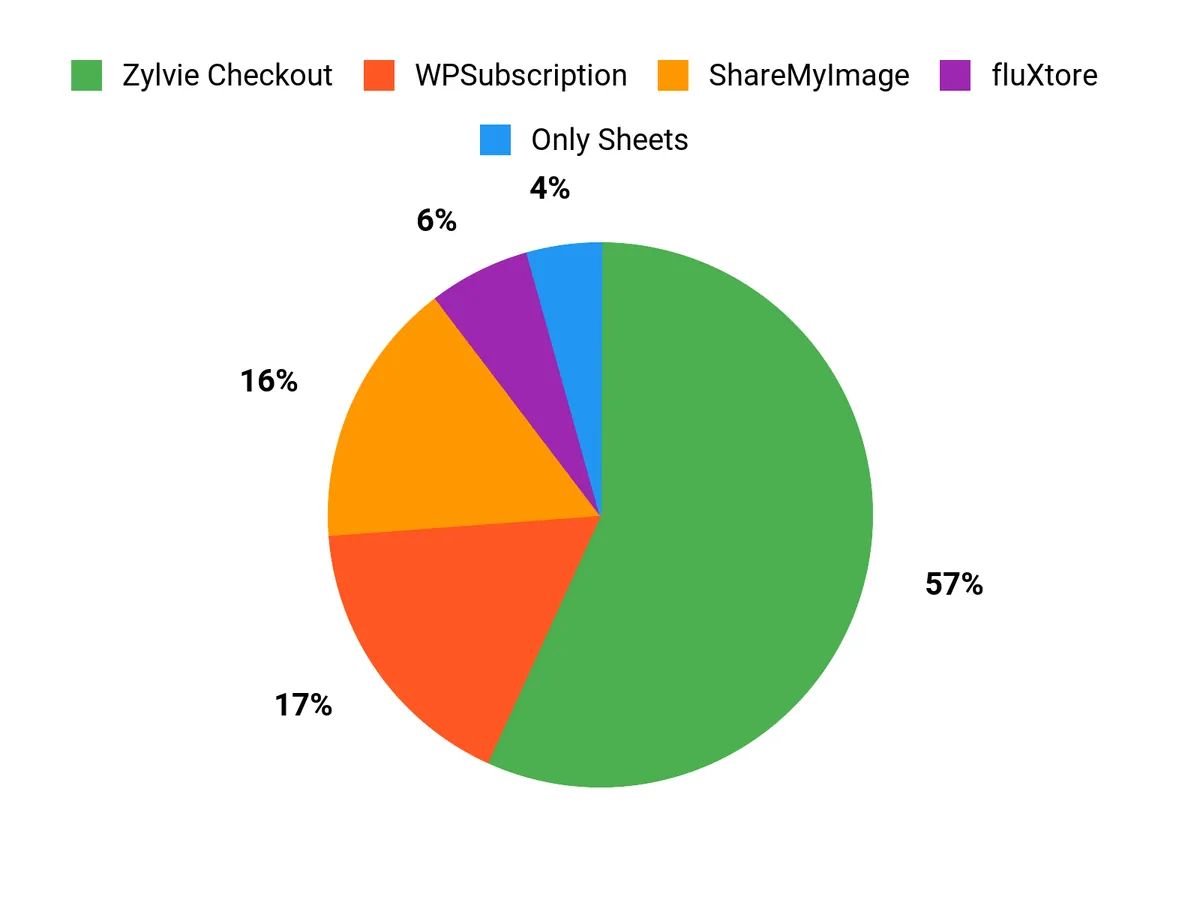
Pick the right tool for your immediate goal: if you sell courses, digital products, or coaching, Zylvie helps you launch high-converting checkout funnels and keeps more of your revenue. If recurring revenue is your focus and you run WooCommerce, WPSubscription is tailored to subscriptions. Use fluXtore if you need an affordable WordPress funnel builder and are comfortable troubleshooting plugin compatibility.
Choose ShareMyImage when you need fast, large-file hosting and a simple CDN-backed media workflow. If you monetize templates, checklists, or data inside Google Sheets, Only Sheets gives you a protected, sellable delivery mechanism.
Implementing one or two of these tools will help you reduce friction, increase conversions, and free up time to focus on growth.
| Product | Image | Rating | Pricing Plans | Highlights | Target Audience |
|---|---|---|---|---|---|
| Zylvie - High-Converting Checkout Software |
|
4.76/5 (55 reviews) | plans: {"price"=>"$89", "features"=>["Lifetime sales up to $250k", "Manage 1 brand", "List up to 10 products per brand", "Unlimited unlisted products"]}, {"price"=>"$178", "features"=>["Lifetime sales up to $500k", "Manage 5 brands", "List up to 50 products per brand"]}, {"price"=>"$267", "features"=>["Lifetime sales up to $1M", "Manage 10 brands", "List up to 200 products per brand", "Custom domain/CNAME", "Sell subscription/SaaS products"]} |
|
|
| WPSubscription |
|
4.82/5 (34 reviews) | plans: {"price"=>"$69", "features"=>["Compatible with WooCommerce", "Recurring payments via Stripe, PayPal, and Paddle", "Easy setup for subscription products"]} |
|
|
| fluXtore |
|
4.12/5 (32 reviews) | plans: {"price"=>"$19", "features"=>["License for 3 websites", "Unlimited funnels", "Optimized templates", "One-click upsell, downsell, and order bump"]} |
|
|
| Share My Image (Image Hosting) |
|
4.57/5 (30 reviews) | plans: {"price"=>"$99", "features"=>["Unlimited image space", "Upload images & videos up to 1 GB", "Organize images in folders"]} |
|
|
| Only Sheets 2.0 by Better Sheets |
|
5.0/5 (1 review) | plans: {"price"=>"$30", "features"=>["Protect your Google Sheets", "Sell access via Gumroad", "Easily monetize templates and workflows"]} |
|
|
This Roundup is reader-supported. When you click through links we may earn a referral commission on qualifying purchases.